The Del Taco app brings mobile ordering, restaurant rewards, menu customization, and exclusive offers together in one convenient place. Instead of waiting until you arrive at a restaurant, you can select a participating location, browse its available menu, customize your food, choose a pickup or delivery method, and pay for your order from your phone.
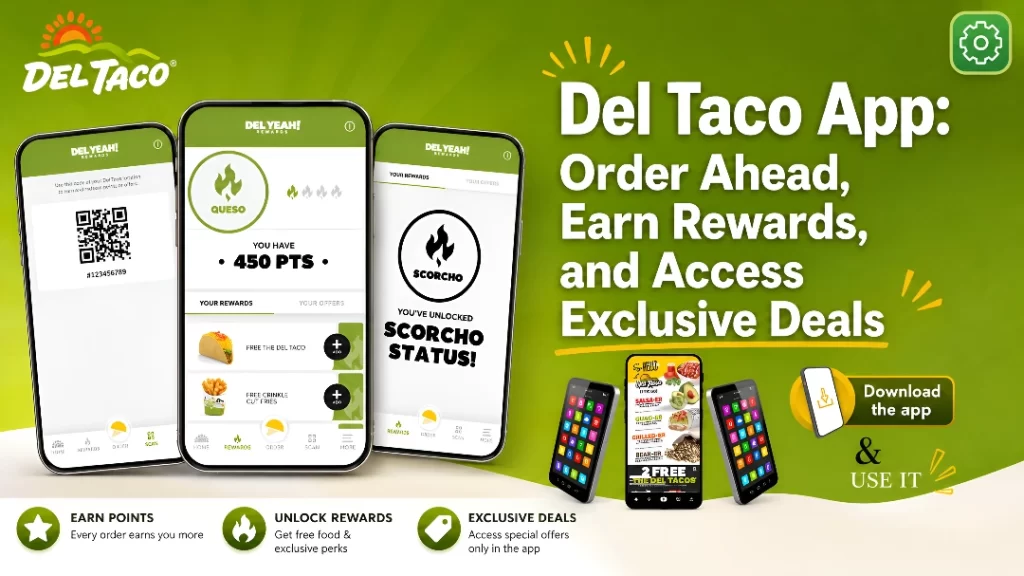
The app also serves as the main hub for the Del Yeah! Rewards program. Members can earn points on qualifying purchases, monitor their rewards status, redeem points for free food, scan a QR code during in-store visits, and check for personalized promotions.
For regular Del Taco customers, these features can save time and create meaningful savings. However, the app also has limitations worth understanding. Not every restaurant supports every ordering method, only one offer or reward can generally be used per transaction, Apple Pay is not currently supported, and an order cannot be edited once it has been submitted.
This complete Del Taco app review explains how to download the app, create an account, sign in, order food, earn points, redeem rewards, solve common technical problems, and decide whether the app is worth installing.
Del Taco App at a Glance
| App feature | Current details |
|---|---|
| Official app name | Del Taco – Del Yeah! Rewards |
| Download price | Free |
| Main purpose | Mobile ordering and rewards management |
| Ordering options | Pickup, drive-thru, delivery, and Park & Get It where available |
| Rewards program | Del Yeah! Rewards |
| Starting earning rate | 8 points per eligible $1 |
| Highest earning rate | 12 points per eligible $1 |
| Lowest advertised reward | Menu rewards starting at 100 points |
| In-store point earning | Available through QR-code scanning |
| Missing-point requests | Available through receipt entry |
| Gift-card payment | Supported for eligible app orders |
| Apple Pay | Not currently supported |
| iPhone requirement | iOS 18.0 or later |
| Android availability | Available through Google Play |
| Account access without app | Available through the online rewards portal |
| Cost to join rewards | Free |
What Is the Del Taco App?
The Del Taco mobile app is the company’s official digital ordering and loyalty platform for eligible iPhone, iPad, and Android devices.
It has two main purposes:
- Helping customers place eligible Del Taco orders from their phones.
- Giving registered members access to Del Yeah! Rewards.
The ordering side of the app lets customers select a restaurant, view the menu available at that location, customize eligible items, add products to a digital bag, select an available fulfillment method, and complete checkout.
The rewards side allows members to:
- Earn points on qualifying orders
- Scan their account in a restaurant
- Track Spendable and Qualifying Points
- Redeem points for available food rewards
- Monitor tier progression
- Access birthday benefits
- Review personalized offers
- Check weekly Wednesday promotions
- Enter qualifying receipts for missing points
The app is not merely a digital menu. It connects a customer’s ordering activity, payment information, preferred restaurant, order history, offers, rewards, and account settings.
Del Taco App Download
The safest way to complete a Del Taco app download is to use the official listing published by Del Taco LLC.
Del Taco App for iPhone
iPhone users can search for “Del Taco” in the Apple App Store and confirm that the developer is listed as Del Taco LLC.
At the time of verification, the iOS listing showed:
| iOS app detail | Listing information |
|---|---|
| Price | Free |
| Category | Food & Drink |
| Age rating | 4+ |
| Language | English |
| Approximate size | 69.2 MB |
| iPhone requirement | iOS 18.0 or later |
| iPad requirement | iPadOS 18.0 or later |
| App Store rating | 4.7 out of 5 from approximately 43,000 ratings |
These requirements can change after future updates. An older iPhone that cannot install iOS 18 may not be able to install the current version of the app.
Del Taco App for Android
The official Del Taco app for Android is available through Google Play under the name Del Taco – Del Yeah! Rewards.
To avoid installing an unrelated application:
- Open Google Play.
- Search for “Del Taco Del Yeah Rewards.”
- Confirm that the listing uses Del Taco branding.
- Verify that the package belongs to the official Del Taco developer.
- Review the app permissions and data-safety information.
- Tap Install.
Do not confuse the restaurant app with similarly named smart-home or local restaurant applications.
Can You Use Del Taco Rewards Without Downloading the App?
Yes. Del Taco provides an online rewards portal for customers who do not have a smartphone or do not want to use the mobile application.
The online portal can be used to access an account, review available rewards, and place eligible online orders. The mobile app is more convenient for in-store scanning because it provides the QR code used at checkout, but owning a smartphone is not a published requirement for participating in the rewards program.
How to Create a Del Taco Account
A rewards account is required to earn points, access personalized offers, and monitor tier status.
To create an account:
- Download and open the official app.
- Select the sign-up or create-account option.
- Enter your first and last name.
- Provide a valid email address.
- Enter your mobile number.
- Create a password that follows the stated requirements.
- Add your birthday if you want to receive an eligible birthday offer.
- Complete any verification request.
- Sign in to begin using the account.
The online registration form currently requests a name, email address, mobile number, password, and optional birthday. It states that adding a birthday allows Del Taco to send a birthday reward.
Is a Del Taco Account Free?
Yes. There is no published fee for joining Del Yeah! Rewards.
Program eligibility terms state that participants must generally be legal residents of the United States or Canada and at least 18 years old, although enrollment may be permitted from age 16 with parental permission. A valid email address is also required.
Del Taco App Login and Sign-In Instructions
The Del Taco app login process normally requires the email address and password connected to your rewards account.
To sign in:
- Open the app.
- Select Sign In.
- Enter the email address used during registration.
- Enter your password.
- Tap the sign-in button.
- Allow the account information and rewards balance to load.
Depending on the options displayed, users may also be able to continue with an Apple, Google, or Facebook account.
The web sign-in page provides email and password fields, a forgotten-password option, and supported third-party account choices.
Del Taco Rewards Login
Your Del Taco Rewards login is generally the same account used in the Del Taco app. You do not need to maintain one account for ordering and a separate account for rewards.
The same credentials should connect your:
- Points balance
- Tier progress
- Available offers
- Redeemed rewards
- Order history
- Saved profile details
- Participating online orders
Always use the same account when ordering online, ordering in the app, or scanning in-store. Maintaining multiple accounts may separate your points and could conflict with program rules.
Del Taco Sign In With Apple, Google, or Facebook
The available Del Taco sign in page may show third-party authentication options, including Apple, Google, or Facebook.
Use the same method each time. For example, an account originally created through “Continue with Apple” may not behave like an account created directly with an email and password, especially when Apple’s private email relay is used.
If you are unsure which method you previously selected:
- Check older Del Taco emails.
- Try the original social sign-in option.
- Check whether Apple generated a private relay email.
- Avoid creating a second account until the original account has been located.
- Contact support if your points are attached to an inaccessible account.
How to Reset a Forgotten Password
If you cannot remember your password:
- Open the login screen.
- Select Forgot Password.
- Enter the email address connected to your account.
- Request password-reset instructions.
- Check your inbox and spam folder.
- Open the reset message.
- Create a new password.
- Return to the app and sign in again.
Del Taco’s official password-recovery page sends reset instructions to the email address entered by the user.
Key Features of the Del Taco App
Mobile Ordering
The app allows customers to browse participating restaurant menus and place orders ahead.
Mobile ordering can be useful when:
- You want to avoid deciding at the counter.
- You need additional time to review ingredients or options.
- You are ordering for several people.
- You want to customize multiple items.
- You want to apply an app offer before arriving.
- You prefer paying before reaching the restaurant.
Menu Customization
Eligible products can be customized before being added to the bag.
Available options depend on the selected item and restaurant, but they may include:
- Removing ingredients
- Adding available sauces
- Selecting a protein
- Changing a drink
- Choosing an available size
- Adding sides or extras
- Selecting the quantity
Review every customization before submitting the order. Once an app order has been placed, Del Taco states that it cannot be changed. You must cancel it while cancellation is still available and place a replacement order.
Pickup and Drive-Thru Ordering
Depending on the restaurant, the app may let you select pickup or drive-thru.
Pickup instructions can vary. Some locations may ask customers to enter the restaurant, while drive-thru orders may require the customer to identify the order at the speaker.
Always verify:
- Restaurant address
- Selected fulfillment method
- Pickup instructions
- Estimated availability
- Restaurant operating hours
Selecting the wrong restaurant is one of the easiest ways to create an inconvenient mobile-order problem.
Delivery
Delivery may be offered for eligible addresses and participating locations.
Delivery availability can depend on:
- Distance from the restaurant
- Restaurant participation
- Current operating hours
- Driver availability
- Menu availability
- Order value
- Delivery service coverage
Delivery charges do not earn Del Yeah! Rewards points. Taxes and tips are also excluded from point earning.
Park & Get It
Some restaurants may display Park & Get It, an ordering option promoted in the official app description.
When available, this feature is intended to let customers arrive at the selected location, park in a designated area, follow the app’s arrival instructions, and receive the order without using the standard counter or drive-thru flow.
Because it is location-dependent, do not assume every Del Taco offers it. Look for the option after selecting a restaurant.
Location Finder
The app can help users locate nearby restaurants and determine which mobile-ordering options are supported.
You may be asked to:
- Allow location access
- Search by city
- Enter a state
- Enter a ZIP code
- Select a restaurant manually
Checking the restaurant before building the order matters because menu items, prices, hours, offers, and fulfillment methods can vary.
Personalized Offers
The app may display promotions based on program activity, purchase history, profile settings, referrals, or other promotional criteria.
Offers can include:
- Discounted menu items
- Free items with purchase
- Percentage-off promotions
- Birthday offers
- Tier benefits
- Weekly app deals
- Limited-time challenges
- Surprise promotions
Receiving one offer does not guarantee that every member will receive the same offer. Del Taco states that offers are promotional coupons or deals granted at its discretion and may have individual expiration dates and conditions.
Saved Information and Faster Ordering
Program terms describe online ordering features that can save favorite orders, restaurant locations, and information for faster pickup.
Saved information can reduce repeated steps, but always inspect the current order before paying. Restaurant selection, prices, menu availability, and previous customizations may have changed.
How to Order Through the Del Taco App
Step 1: Sign In
Open the app and complete the Del Taco app login before building the order. Ordering while signed in helps connect qualifying spending to your rewards account.
Step 2: Select a Restaurant
Choose the location where you want the order prepared.
Check the complete address, especially when several Del Taco restaurants operate in the same area.
Step 3: Choose an Ordering Method
Available options may include:
- Pickup
- Drive-thru
- Delivery
- Park & Get It
Not every method appears at every restaurant.
Step 4: Browse the Menu
Open the relevant menu category and select an item.
Common categories may include:
- Tacos
- Burritos
- Burgers
- Chicken
- Fries and sides
- Breakfast
- Desserts
- Drinks
- Value items
- Combo meals
Menu offerings and prices can vary by restaurant.
Step 5: Customize the Item
Select any allowed additions, removals, sizes, flavors, proteins, or side options.
Review the item carefully before adding it to your bag.
Step 6: Review the Bag
Before continuing, confirm:
- Correct restaurant
- Correct items
- Correct quantities
- Correct customizations
- Correct drinks and sides
- Correct fulfillment method
- Correct estimated subtotal
This step is important because a submitted order cannot be directly edited.
Step 7: Check Rewards and Offers
Open the available rewards or offers and compare their value.
Only one reward or offer can normally be applied to a transaction, and it cannot be combined with another coupon or promotional code.
Step 8: Add Payment
Select or enter an accepted payment method.
Eligible app orders can currently be paid with a Del Taco gift card. Apple Pay is not supported according to the official FAQ. (Del Taco)
Step 9: Submit the Order
Review the final amount and submit the order only after confirming all details.
Step 10: Follow the Fulfillment Instructions
Follow the instructions shown for pickup, drive-thru, delivery, or Park & Get It.
Del Taco App Deals
Del Taco app deals are one of the strongest reasons to maintain an active rewards account.
The app may provide promotions that are unavailable through a standard walk-in transaction. However, deals change regularly and may differ between members.
Wednesday Hookups
Wednesday Hookups are exclusive offers made available to Del Yeah! Rewards members through the app.
Del Taco says new Hookup offers drop every Wednesday. The discount, free item, purchase requirement, and expiration date can change each week.
To use them:
- Open the app on Wednesday.
- Go to the Offers section.
- Open the current Hookup.
- Read the complete conditions.
- Save or activate it when required.
- Add qualifying items to the order.
- Select the offer before checkout.
- Confirm that the discount appears.
New-Member Offer
At the time of verification, Del Taco’s public rewards page advertised 20% off the pre-tax subtotal for first-time registered users, with a maximum discount of $10.
The published conditions stated that the offer:
- Was limited to first-time registered users
- Required a purchase
- Was valid for 14 days after sign-up
- Had to be saved before scanning or ordering
- Could not be combined with another discount
- Was limited to participating restaurants
- Was not valid through third-party delivery providers
Welcome promotions are temporary and can change, so check the current sign-up screen rather than assuming this offer is still available later.
Birthday Offers
Members who add an eligible birthday may receive a birthday reward.
The current rewards page highlights:
| Tier | Birthday benefit |
|---|---|
| Queso | Regular-size shake with a purchase |
| Scorcho | Regular-size shake with a purchase |
| Inferno | Eligible shake or dessert with a purchase |
| Epic | Eligible shake or dessert with a purchase |
The higher-tier dessert selection excludes Cheesecake Bites on the current public rewards page.
Free Coffee Offer
The current program page also highlights an eligible free iced or hot coffee before 11 a.m. with a purchase for rewards members.
The offer may need to be saved and selected before redemption. Participation, product availability, and qualifying purchases can vary.
One Deal Per Order
A major limitation of the app is that only one reward or offer can generally be applied per transaction.
That means you may need to choose between:
- A point-based food reward
- A percentage discount
- A free-item offer
- A Wednesday Hookup
- A birthday benefit
- Another promotional coupon
Compare the total savings before checking out.
Del Taco Rewards in the App
The app is the primary mobile interface for Del Yeah! Rewards.
Members earn points according to their current tier:
| Rewards tier | Points per eligible $1 | Current qualification |
|---|---|---|
| Queso | 8 | Starting level |
| Scorcho | 10 | 250 Qualifying Points |
| Inferno | 11 | 1,000 Qualifying Points |
| Epic | 12 | 2,000 Qualifying Points |
Tier qualification is measured during six-month earning periods. Published periods run from January through June and July through December.
How to Earn Points
You can earn points by:
- Ordering online while signed in
- Ordering through the app while signed in
- Scanning your app at the register
- Entering eligible receipt details after a missed scan
Points may take up to 48 hours to appear.
Purchases or charges that do not qualify include:
- Gift-card purchases
- Group orders
- Tips
- Delivery fees
- Sales tax
- Other transactional taxes
A qualifying purchase can be credited to only one rewards account.
In-Store Scan Feature
To earn points during an in-store purchase:
- Open the app.
- Sign in.
- Go to the Scan section.
- Present the QR code before completing payment.
- Confirm that the transaction is associated with your account.
- Keep the receipt until the points appear.
To redeem an offer or reward in-store, select it before presenting the QR code.
Missing Points From a Receipt
If you forgot to scan:
- Keep the receipt.
- Open the app.
- Select More.
- Open My History.
- Enter the requested receipt details.
- Submit the request.
- Allow time for processing.
Del Taco specifically directs users to the More and My History sections for receipt entry.
Rewards vs. Offers
The app separates these two categories.
Rewards are food items acquired by spending points.
Offers are promotional coupons or deals added to the account.
Examples of currently advertised point rewards include:
| Reward | Advertised point cost |
|---|---|
| Snack Taco | 100 points |
| Mini Cheddar Quesadilla | 150 points |
| The Del Taco | 350 points |
| Regular Crinkle Cut Fries | 450 points |
| Epic Burrito | 1,000 points |
| Eligible Combo Meal | 1,400 points |
Reward availability can vary. Rely on the catalog shown in your account at the time you plan to redeem.
Point and Reward Expiration
Del Taco points expire one year after they are earned.
After points are converted into a food reward, that reward must generally be used within 30 days. If it expires, both the reward and the points used to obtain it are lost.
A practical strategy is to leave points in the account until you are ready to place an eligible order.
Del Taco App Payment Options
The app supports payment during eligible mobile orders, but its payment features have limitations.
Credit and Debit Cards
Customers can enter an accepted card during checkout. Stored payment methods can be managed through the More section under Payment Methods.
Del Taco Gift Cards
Del Taco states that an eligible gift card can be used at checkout for an app order.
Purchasing a gift card does not earn rewards points, even though an eligible food order paid with one may be handled differently.
Apple Pay
The official FAQ currently states that the Del Taco app does not support Apple Pay.
Because payment support can change in a future update, check the checkout screen for the latest available methods.
In-Store Mobile Payment
The app does not currently support stored app payment for an ordinary in-store transaction, according to the official rewards FAQ. Scanning the QR code connects the rewards account, but the payment itself may still need to be completed separately.
Can You Change or Cancel a Del Taco App Order?
Changing an Order
A submitted app order cannot be edited.
To correct an item, quantity, customization, or restaurant, you must cancel the original order while cancellation remains available and submit a new order.
Canceling an Order
Del Taco states that an order can be canceled before:
- The customer has checked in, or
- The restaurant has begun preparing the order
Once preparation has started, cancellation may no longer be available.
Refund Timing
Payment is charged when the order is submitted. When an eligible cancellation is completed, the refund is processed immediately by Del Taco, but it may take approximately three to five business days to appear in the customer’s bank account.
Del Taco App Not Working: Common Fixes
Searching for Del Taco app not working often means one of several different problems: the app will not open, login fails, a restaurant is unavailable, the menu will not load, an offer will not apply, or checkout fails.
Use the troubleshooting process below.
1. Confirm Your Internet Connection
Switch between Wi-Fi and mobile data. Open another app or webpage to check whether the connection itself is working.
2. Close and Reopen the App
Fully close the Del Taco app, wait a few seconds, and open it again.
This can clear a temporary loading or checkout problem.
3. Check for an Update
Open the App Store or Google Play and check whether an update is available.
Older versions can lose compatibility with current ordering or login services.
4. Restart the Phone
Restarting can clear temporary memory, network, or background-process problems.
5. Check Device Compatibility
The current Apple listing requires iOS 18.0 or later. An incompatible operating system may prevent installation or proper operation.
Android requirements can change by device and app version. Check the compatibility message in Google Play.
6. Verify Login Information
Make sure you are using the correct:
- Email address
- Password
- Apple account
- Google account
- Facebook account
Avoid creating another account simply because the original login fails.
7. Reset the Password
Use Forgot Password and check spam or junk folders for the reset message.
8. Confirm the Restaurant Is Open
A restaurant may appear unavailable because:
- It is closed.
- Mobile ordering has been paused.
- The selected fulfillment method is unavailable.
- The restaurant is not participating.
- The restaurant is temporarily unable to accept digital orders.
Try another nearby location only after confirming that you are willing to pick up from it.
9. Rebuild the Order
A menu item or customization may have become unavailable. Remove the affected item and add it again from the current menu.
10. Check Offer Requirements
When a Del Taco app deal will not apply, verify:
- Minimum subtotal
- Eligible menu items
- Correct restaurant
- Redemption date
- Time restriction
- Purchase requirement
- Whether another offer is already selected
- Whether the order uses third-party delivery
11. Remove and Re-Enter Payment Information
A saved card may be expired or rejected.
Check the billing information and available balance before attempting checkout again.
12. Clear the Android Cache
On a supported Android phone:
- Open Settings.
- Select Apps.
- Choose Del Taco.
- Open Storage.
- Select Clear Cache.
- Reopen the app.
Avoid clearing all storage unless you understand that it may sign you out and remove local settings.
13. Reinstall the App
Delete and reinstall the app when other troubleshooting steps fail.
Make sure you know your login details before deleting it.
14. Use the Web Portal
When the app remains unavailable, try signing in through the official Del Taco rewards website. This can also help determine whether the issue affects the account or only the mobile app.
15. Contact Del Taco Support
Contact Del Taco when:
- Points remain missing after the processing window
- A paid order was not received
- A refund has not appeared after the expected period
- An inaccessible account contains points
- An offer disappeared incorrectly
- A valid receipt cannot be submitted
- The app repeatedly crashes after reinstalling
Include the restaurant, order date, order number, receipt information, device type, operating-system version, and a concise description of the problem. Avoid sending full card numbers or account passwords.
Del Taco App Privacy and Data Safety
Restaurant apps need information to create accounts, locate restaurants, process payments, fulfill orders, prevent fraud, and manage rewards.
Google Play currently states that the Del Taco app may:
- Share personal information and app activity with third parties
- Collect personal information, financial information, and other data
- Encrypt data in transit
- Allow users to request data deletion
These disclosures are supplied by the developer and may be updated.
Del Taco’s privacy policy also explains that service providers may assist with account creation, geolocation, payment processing, personalization, customer support, notifications, analytics, security, and rewards administration.
Before using the app:
- Read its current privacy disclosures.
- Use a unique password.
- Avoid reusing a banking or email password.
- Enable only the permissions you need.
- Keep the phone’s operating system updated.
- Do not share your account or QR code.
- Remove old payment methods.
- Review promotional communication settings.
Del Taco App Review: Pros and Cons
A fair Del Taco app review should consider both convenience and limitations.
Advantages
| Advantage | Why it matters |
|---|---|
| Free download | No app or rewards enrollment fee |
| Order ahead | Reduces time spent building an order at the restaurant |
| Multiple fulfillment methods | Pickup, drive-thru, delivery, and Park & Get It may be available |
| Menu customization | Eligible items can be adjusted before checkout |
| Rewards integration | Points, tiers, offers, and redemptions are managed together |
| In-store scanning | Customers can earn points without placing an app order |
| Receipt entry | Missed points may be recovered |
| App-only promotions | Wednesday Hookups and personalized offers may provide savings |
| Birthday benefit | Eligible members may receive a birthday offer |
| Online alternative | Rewards are not limited to smartphone users |
Disadvantages
| Limitation | Why it matters |
|---|---|
| One reward or offer per transaction | Promotions generally cannot be stacked |
| No Apple Pay | Some iPhone users may prefer not to enter or store card information |
| Submitted orders cannot be edited | Corrections require cancellation and reordering |
| Location-dependent features | Not every restaurant supports every option |
| Points expire | Unused points expire one year after being earned |
| Redeemed rewards expire faster | A selected reward generally expires after 30 days |
| iOS requirement | Current version requires iOS 18.0 or later |
| Delivery charges excluded | Fees, tips, and taxes do not earn points |
| Personalized promotions vary | Not every member receives identical offers |
| Technical issues are possible | Login, restaurant, menu, or checkout problems can occur |
Get More Value From the Del Taco App
Check the App Before Every Order
Open Offers before selecting a point reward. A weekly deal may save more than redeeming points.
Order While Signed In
Confirm your account is active before checkout. This reduces the chance of missing points.
Scan Before Paying In-Store
Open the QR code while waiting in line so it is ready at the register.
Keep Receipts Temporarily
Do not throw away a receipt until the points appear in your account.
Do Not Redeem Points Too Early
Points can remain available for one year from the earning date, while a converted reward generally expires after 30 days.
Review the Restaurant Address
Check the complete location before submitting the order.
Compare Rewards by Value
A reward requiring more points is not automatically a better deal. Compare the normal menu price with the point requirement.
Read Offer Restrictions
Look for:
- Minimum purchase
- Time of day
- Eligible items
- Participating locations
- Expiration
- Fulfillment restrictions
- Single-use language
Enable Useful Notifications
Notifications may alert you to new offers, rewards, and Wednesday Hookups. Disable unnecessary categories if they become excessive.
Protect Your Account
Use a unique password and avoid sharing screenshots of your rewards QR code.
Frequently Asked Questions About the Del Taco App
1. Is the Del Taco app free?
Yes. The official app is free to download, and there is no membership fee for joining Del Yeah! Rewards.
2. Where can I download the Del Taco app?
iPhone and iPad users can download it through the Apple App Store. Android users can install the official Del Taco app for Android through Google Play.
3. What is the official name of the app?
The Google Play listing uses the name Del Taco – Del Yeah! Rewards. The Apple listing displays it as Del Taco.
4. What can I do in the Del Taco app?
You can browse participating restaurant menus, customize items, order ahead, select available pickup or delivery options, earn points, redeem rewards, scan in-store, review offers, and manage account information.
5. Do I need an account to order?
Account requirements can depend on the ordering flow, but a rewards account is necessary when you want qualifying purchases connected to Del Yeah! Rewards and personalized offers.
6. How does Del Taco app login work?
Open the app, select Sign In, and enter the email address and password connected to your account. Third-party sign-in options may also be available.
7. Is Del Taco Rewards login different from the app login?
No. Your Del Taco Rewards login normally provides access to the same account used for mobile ordering, points, tiers, offers, and order history.
8. What should I do when Del Taco sign in fails?
Check the email address, verify which login method you originally used, reset the password, update the app, and try the online rewards portal. Avoid creating a duplicate account until you confirm that the original account cannot be recovered.
9. Can I order for pickup in the app?
Yes, pickup is one of the ordering options advertised in the official app listings. Availability depends on the selected restaurant.
10. Can I order through the drive-thru using the app?
Drive-thru ordering may be available at participating restaurants. Select the appropriate fulfillment method and follow the instructions shown in the app.
11. Does the Del Taco app support delivery?
Yes, delivery may be available for eligible addresses and participating locations. Fees, tips, and taxes do not earn rewards points.
12. What is Park & Get It?
Park & Get It is a location-dependent fulfillment option advertised by Del Taco. It may allow customers to park at a designated area and receive an order according to the app’s arrival instructions.
13. Can I customize food in the app?
Yes. Eligible items may allow ingredient removals, additions, protein selections, sizes, sauces, sides, and other customizations.
14. Can I change an order after submitting it?
No. Del Taco states that a submitted order cannot be changed. You must cancel it before preparation begins and place a new order.
15. Can I cancel a Del Taco app order?
You may cancel before checking in or before the restaurant begins preparing the order. Cancellation may become unavailable after preparation starts.
16. How long does a canceled-order refund take?
Del Taco processes an eligible cancellation refund immediately, but the bank may take approximately three to five business days to post it.
17. Does the Del Taco app accept Apple Pay?
No. The official Del Yeah! Rewards FAQ currently states that Apple Pay is not supported.
18. Can I pay with a Del Taco gift card?
Yes. Del Taco states that gift cards can be used at checkout for eligible app orders.
19. Can I earn points on in-store orders?
Yes. Open the Scan section and present your account QR code at the register.
20. How many points do I earn per dollar?
Members earn between 8 and 12 points per eligible dollar, depending on whether they are in the Queso, Scorcho, Inferno, or Epic tier.
21. How do I add points from a receipt?
Open More, select My History, and enter the requested information from your receipt.
22. How long do points take to appear?
Del Taco states that points may take up to 48 hours to appear.
23. Do Del Taco points expire?
Yes. Points expire one year after the date they are earned.
24. How long does a redeemed reward last?
A reward selected with points generally expires after 30 days. The points are not returned when the reward expires unused.
25. Can I use two app deals on one order?
Generally, no. Only one offer or reward may be used per transaction, and it cannot normally be combined with another coupon or promotional code.
26. What are Wednesday Hookups?
They are exclusive rewards-member offers scheduled to appear in the app each Wednesday. The exact promotion and conditions can change weekly.
27. Why is my Del Taco app deal not applying?
The offer may be expired, not saved, restricted to another restaurant, dependent on a minimum purchase, limited to specific products, or blocked because another promotion is already active.
28. Why are my points missing?
Possible reasons include failing to sign in, forgetting to scan, an excluded charge, a nonparticipating restaurant, a processing delay, a refunded order, or a transaction already connected to another account.
29. Why is the Del Taco app not working?
Common causes include an outdated app, weak internet connection, incompatible operating system, unavailable restaurant, expired login session, menu changes, rejected payment method, or temporary service problem.
30. Can I use Del Taco Rewards without the app?
Yes. Del Taco offers an online rewards portal for customers who do not use a smartphone.
31. Does every Del Taco accept app rewards?
No. Rewards and mobile-ordering features are limited to participating restaurants. Availability can vary by location.
32. Is the Del Taco app safe?
The official app is published by Del Taco and states that data is encrypted in transit on Google Play. However, it may collect personal, financial, location-related, and app-activity information. Review the current privacy disclosures before creating an account.
Final Verdict: Is the Del Taco App Worth Downloading?
the Del Taco app is worth considering for customers who regularly visit Del Taco and want a simpler way to order while earning loyalty benefits.
Its mobile-ordering tools can help users select a restaurant, customize food, pay ahead, and choose from available pickup, drive-thru, delivery, or Park & Get It options. Its rewards features add further value by allowing members to earn points, move through four status levels, redeem food rewards, access weekly deals, and recover missing points from eligible receipts.
Users must also pay attention to expiration dates because points expire after one year and a converted reward generally expires after 30 days.
Used carefully, the Del Taco mobile ordering app can save time, simplify repeat visits, and provide better value through rewards and exclusive offers.
Used carefully, the Del Taco mobile ordering app can save time, simplify repeat visits, and provide better value through rewards and exclusive offers.